
AI Complaint Summaries
Designed a GenAI solution that resulted in 1,000+ active users in 60 days.
Overview
Product: Bloomberg Law
Role: Product Designer
Timeline: November 2024 – January 2025
Outcome:
1000+ active users within 60 days
Copied summaries 128%+, signaling attorneys were using summaries in their actual work, not just clicking to see what it did.
My Role
I designed a one-click AI-powered product experience on Bloomberg’s Law most-use page, helping litigators save non-billable hours reading long, detailed documents. An example how a small change can make big impact.
I was the sole Product Designer on this feature. I spoke to several legal experts and designed the GenAI product enhancement on the Bloomberg Law’s docket sheet. I included the analytics teams from the partnered with PMs, SMEs, and engineers on technical feasibility and scope.
The Problem
Litigators rely on complaints to orient themselves to a case, scanning for four things: legal precedents, opposing arguments, possible outcomes and supporting evidence. However, these long, dense documents take time to read that they cannot bill for.
The Design Decisions That Mattered
That pattern shaped the design constraint clearly. The summary couldn't ask attorneys to go somewhere new. It had to appear where they already were, surface only what they needed, and get out of the way.
Two constraints defined the final solution — and both required explicit tradeoffs.
Image-based PDFs couldn't wait.
The AI model generated summaries from text-based PDFs in under 5 seconds. Image-based files were a different story — 30 minutes to process, on average. Keeping a user on the page for 30 minutes while a summary generated wasn't a UX problem. It was a broken product.The solution was a non-disruptive fallback state for image-based files, paired with a shift to pre-generation for live summaries. Pre-generation kept attorneys on the page and eliminated the wait entirely for the most common document types.
The docket table wasn't ours to redesign.
The docket sheet, Bloomberg Law's most-used page, organizes case events in a rigid table with action buttons awkwardly positioned in the middle of each row. My recommendation was to move the button column to the end of the row, which would have aligned with standard UI patterns and made summary integration cleaner. However, engineering flagged rebuilding the table’s structure as high-effort, low-priority. So we designed around the constraint instead of fighting it, integrating the GenAicomplaint summaries within the existing table structure.
The Result
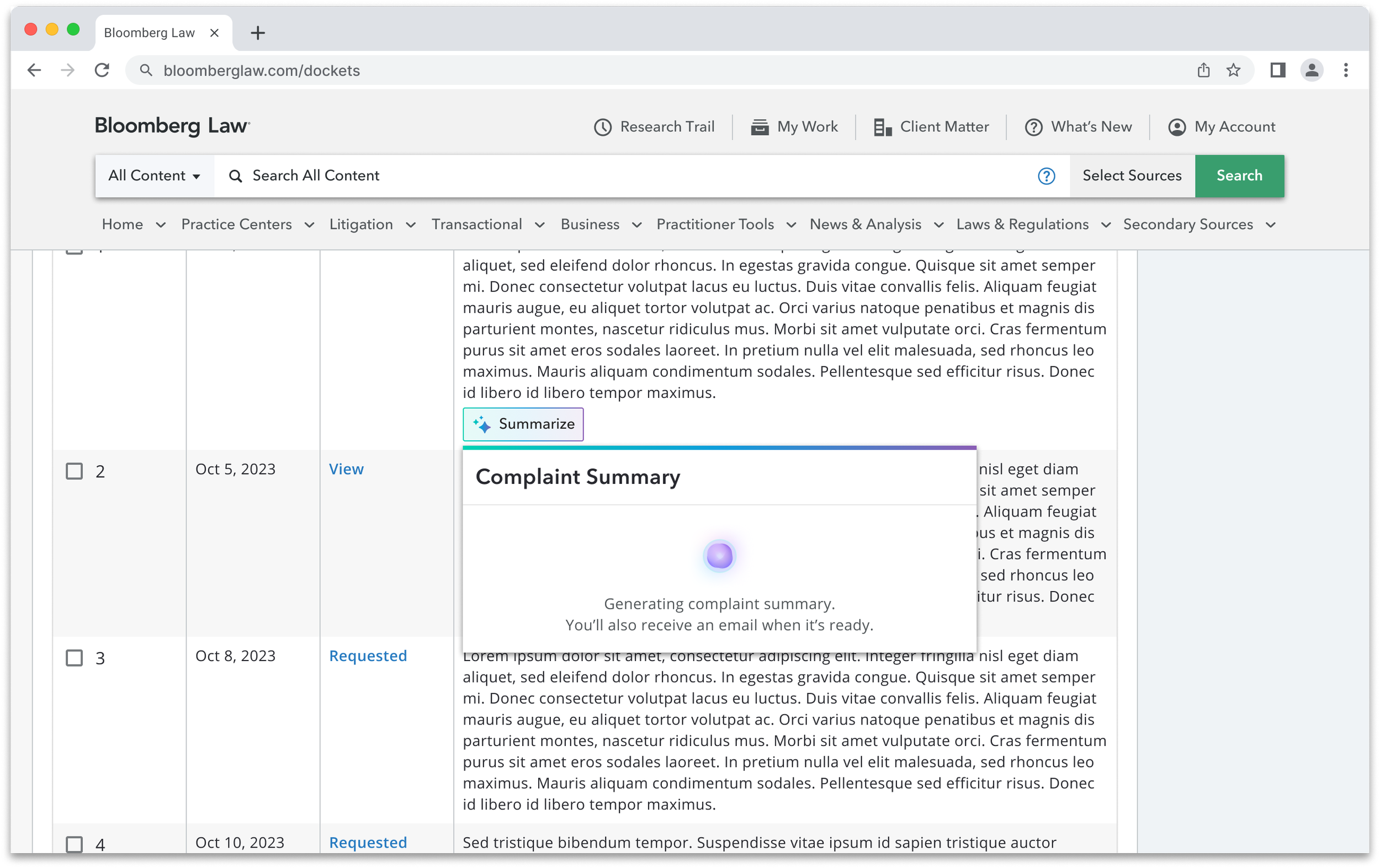
The feature launched to production and the adoption numbers were clear.
1000+ active users within 60 days of launch
Copy actions up 128% — attorneys weren't just reading summaries, they were taking them somewhere. That's practical usage, not curiosity.
Pre-generation replaced live summaries based on performance data, keeping users on the page and improving perceived speed
The meaningful metric: Summary views tell you people clicked. Copy actions tell you people found it useful enough to use in their work. That's the difference between adoption and engagement.
Next: See how I simplified complex financial scenario modeling for enterprise tax teams