
Bloomberg Law's AI Workspace UI Exploration
Translating five months of legal workflow research into a workspace designed around how attorneys actually organize, analyze, and collaborate.
Bloomberg Law Workspace UI Design
My Role
Lawyers don't work in straight lines. They context-switch, cross-reference, and juggle multiple tools at once. Designing AI interactions for that environment means understanding the chaos before you can simplify it. I designed a workspace UI around five core attorney workflows, showing how AI can support and accelerate the way legal work gets done.
01 Locate Precedence Faster with AI
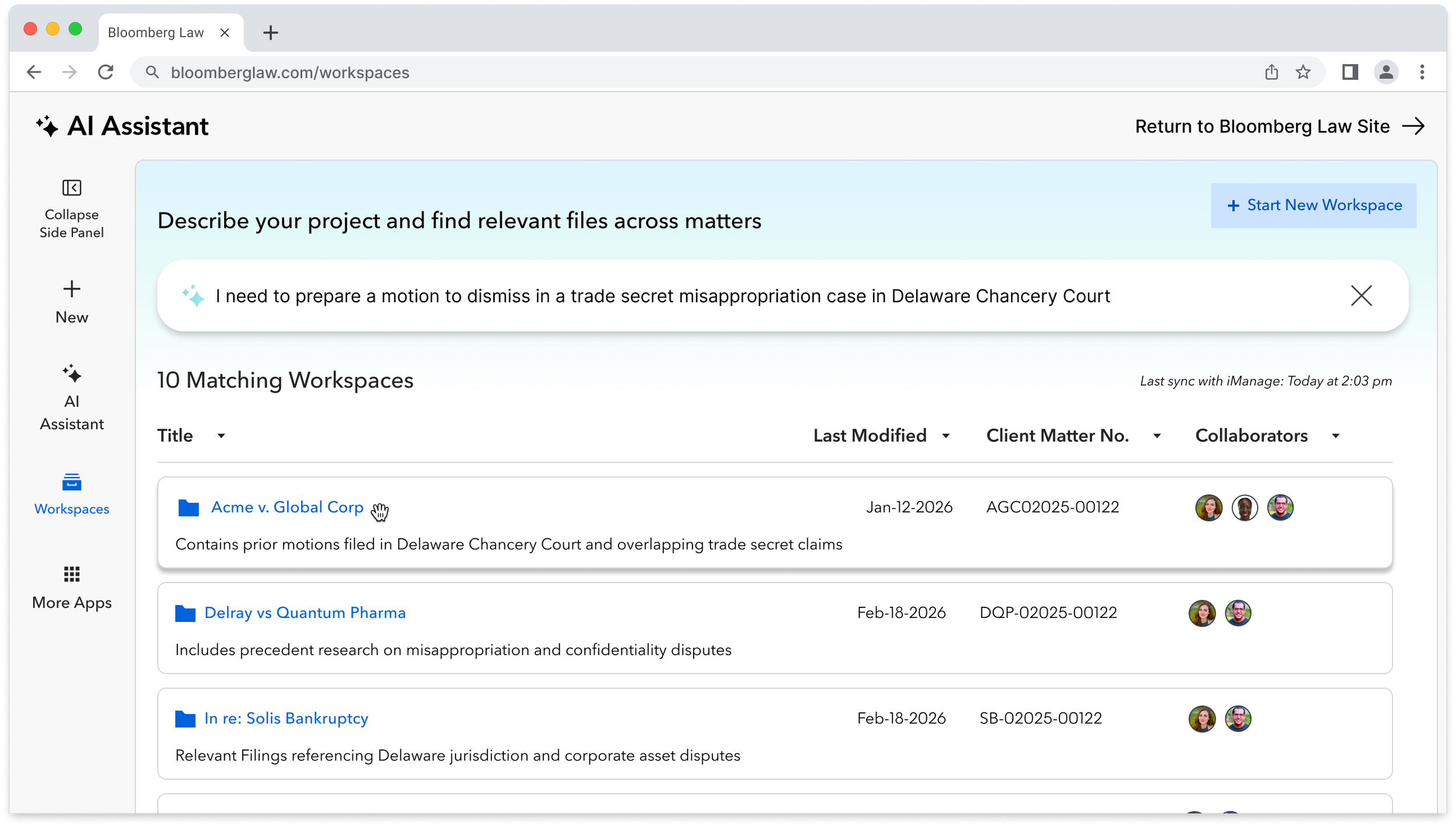
Attorneys describe their project and the AI finds and unburies relevant precedent and prior work.
Project Description + AI Assistance = Faster Answers
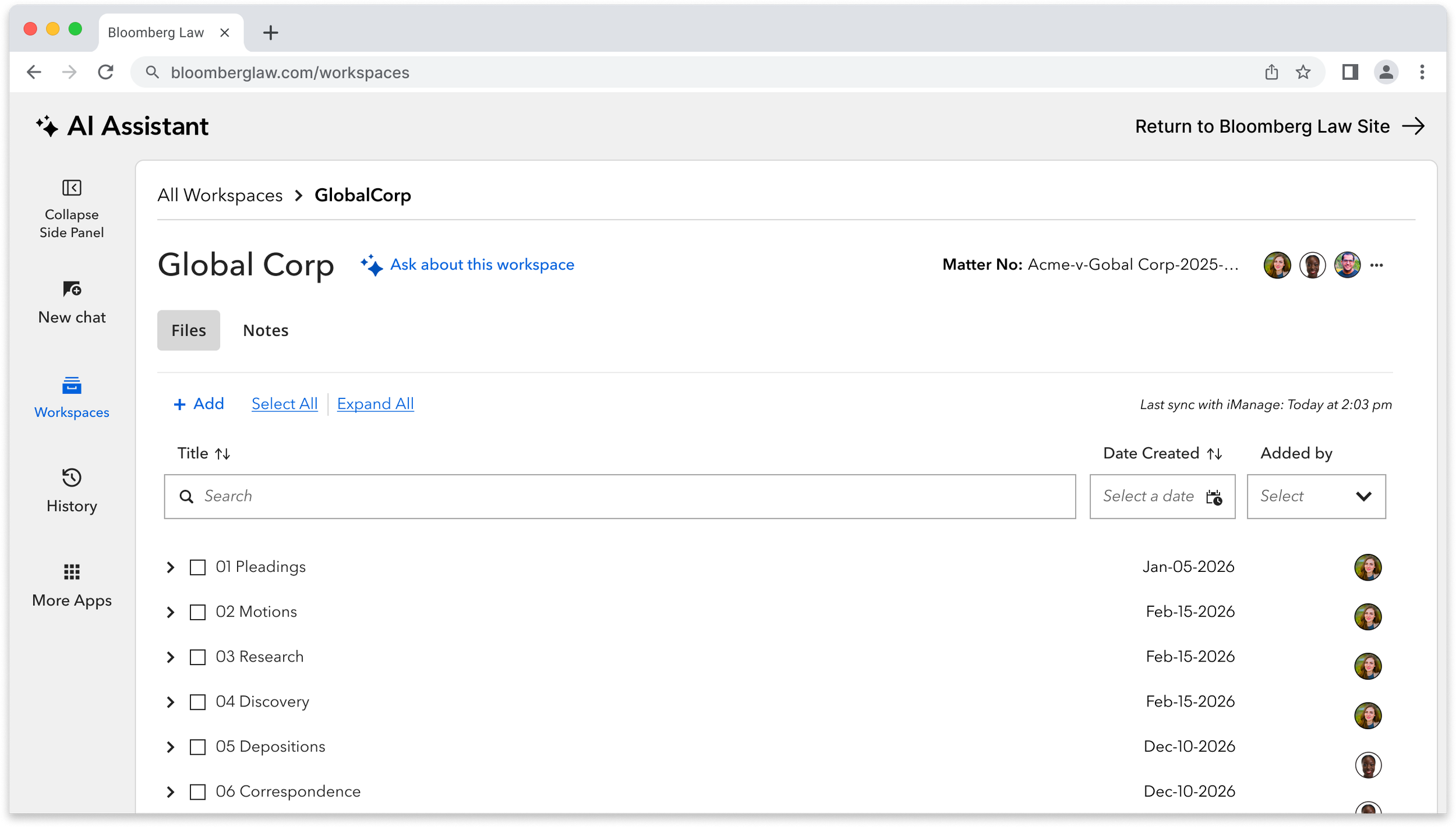
02 Folder Hierarchy
File organization using the same matter-based folder hierarchy system attorneys already use in the DMS. However, research showed that rebuilding the DMS added cognitive overhead before delivering value therefore, for Bloomberg Law Workspaces to succeed, it must seamlessly integrate
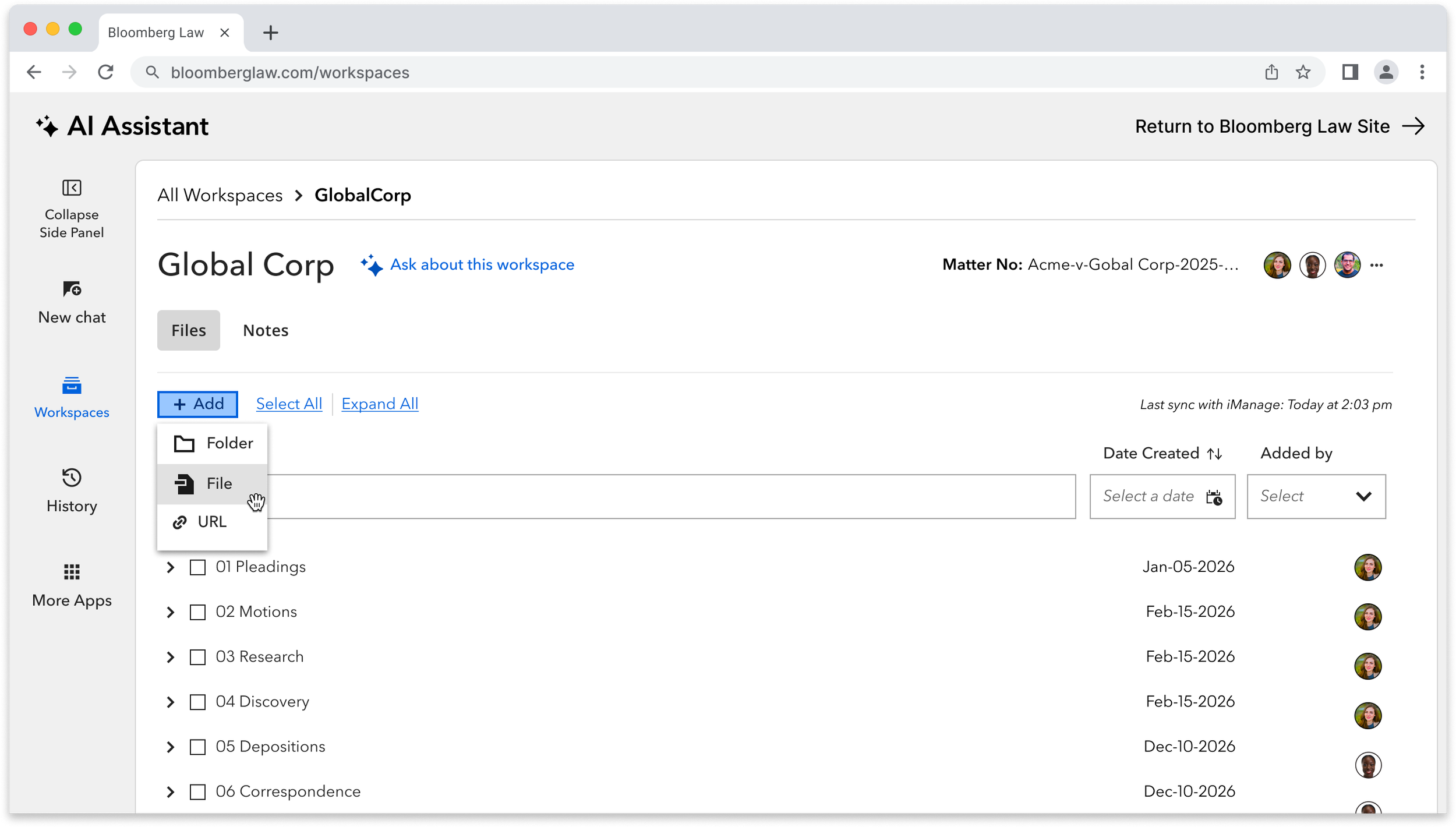
03 Context Aware Integration
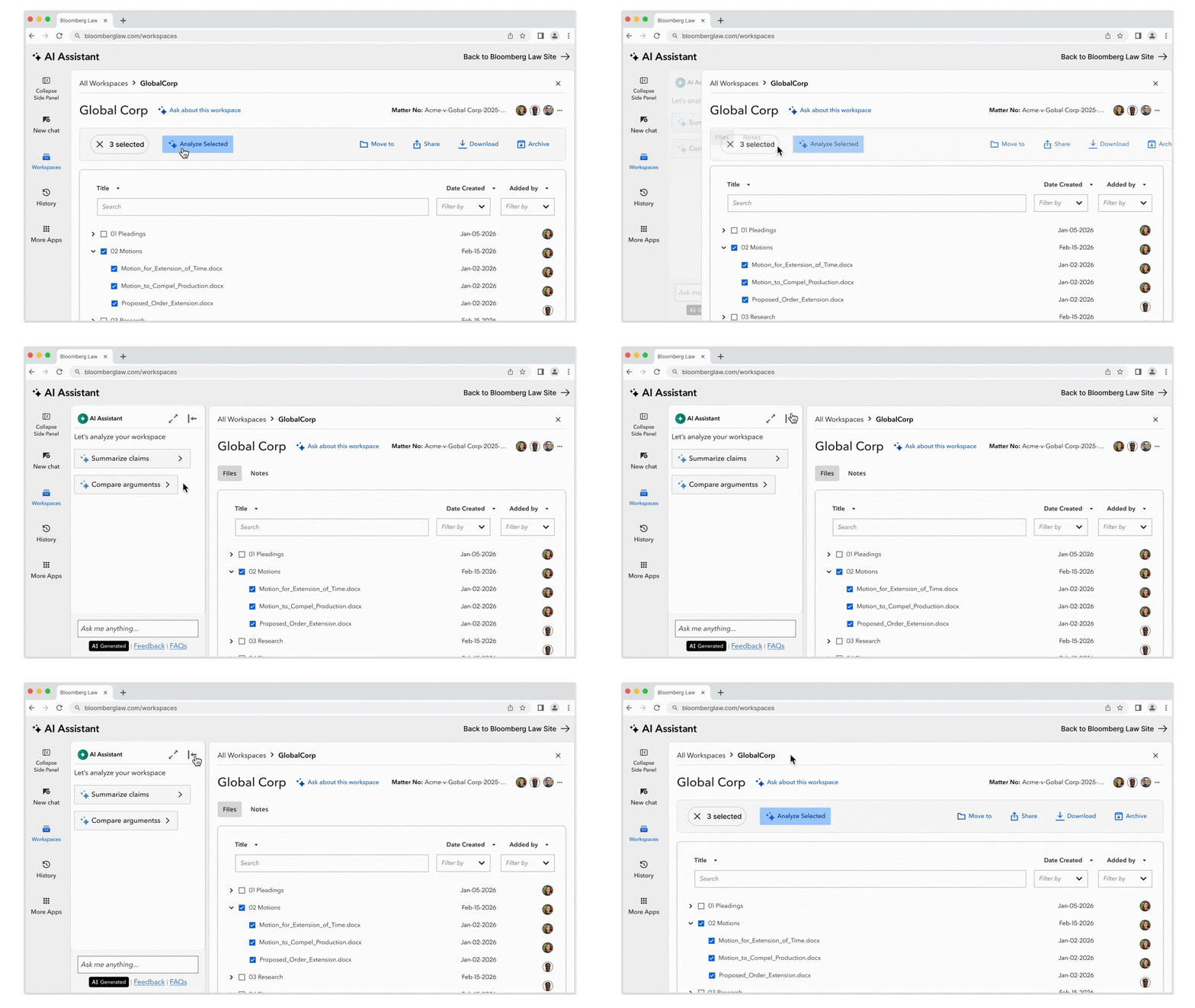
Interactive tool bar appears as user selection, overlaying the exact vertical space of the tabs. This interaction design temporary and neatly covers the exact vertical heigh of the tabs and doesn't cover any folders/files.
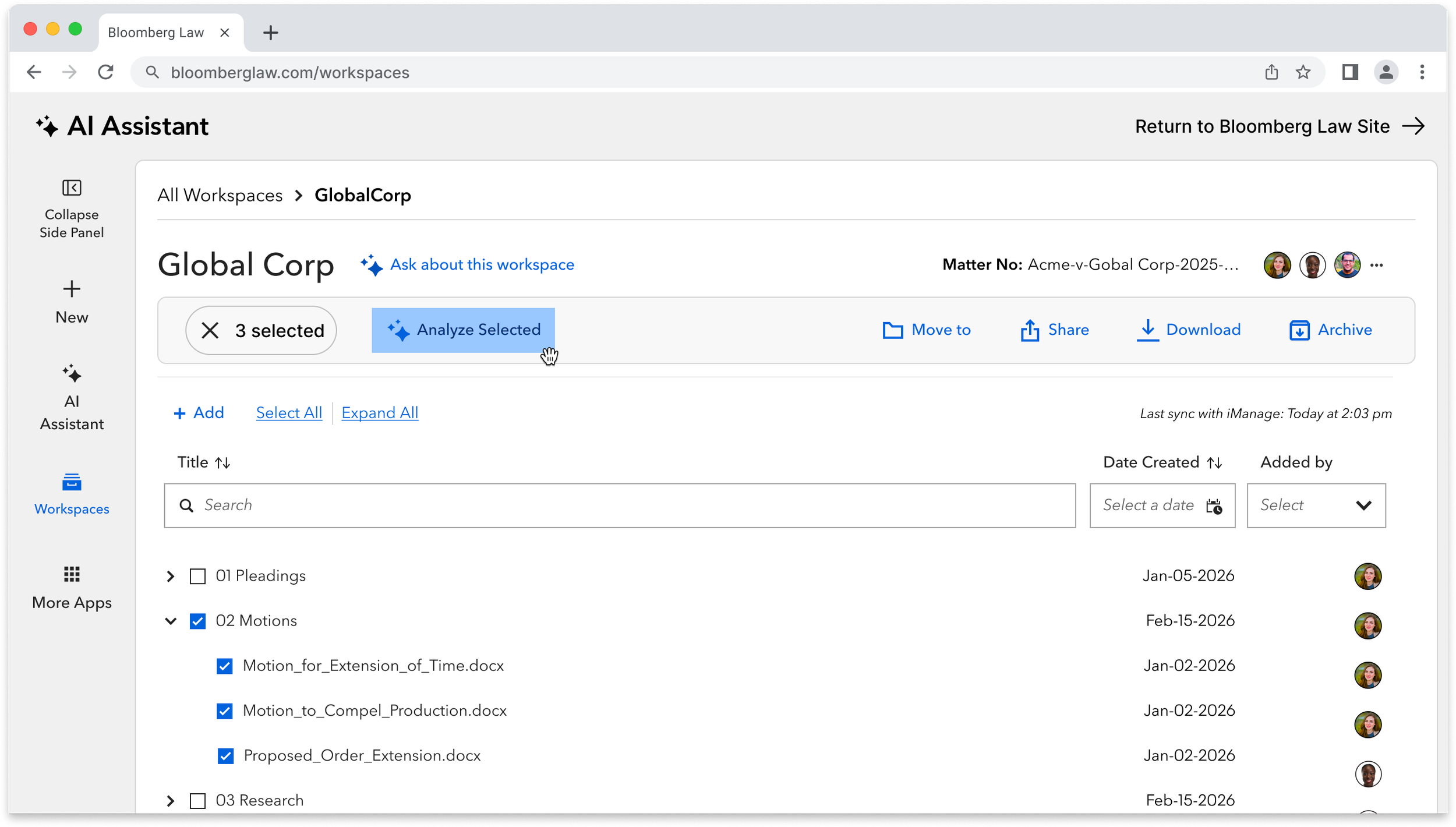
The AI Assistant lives in a collapsible side panel. The attorney decides what to analyze and the Assistant responds to that decision while adapting to their priorities, learning from their user behavior.
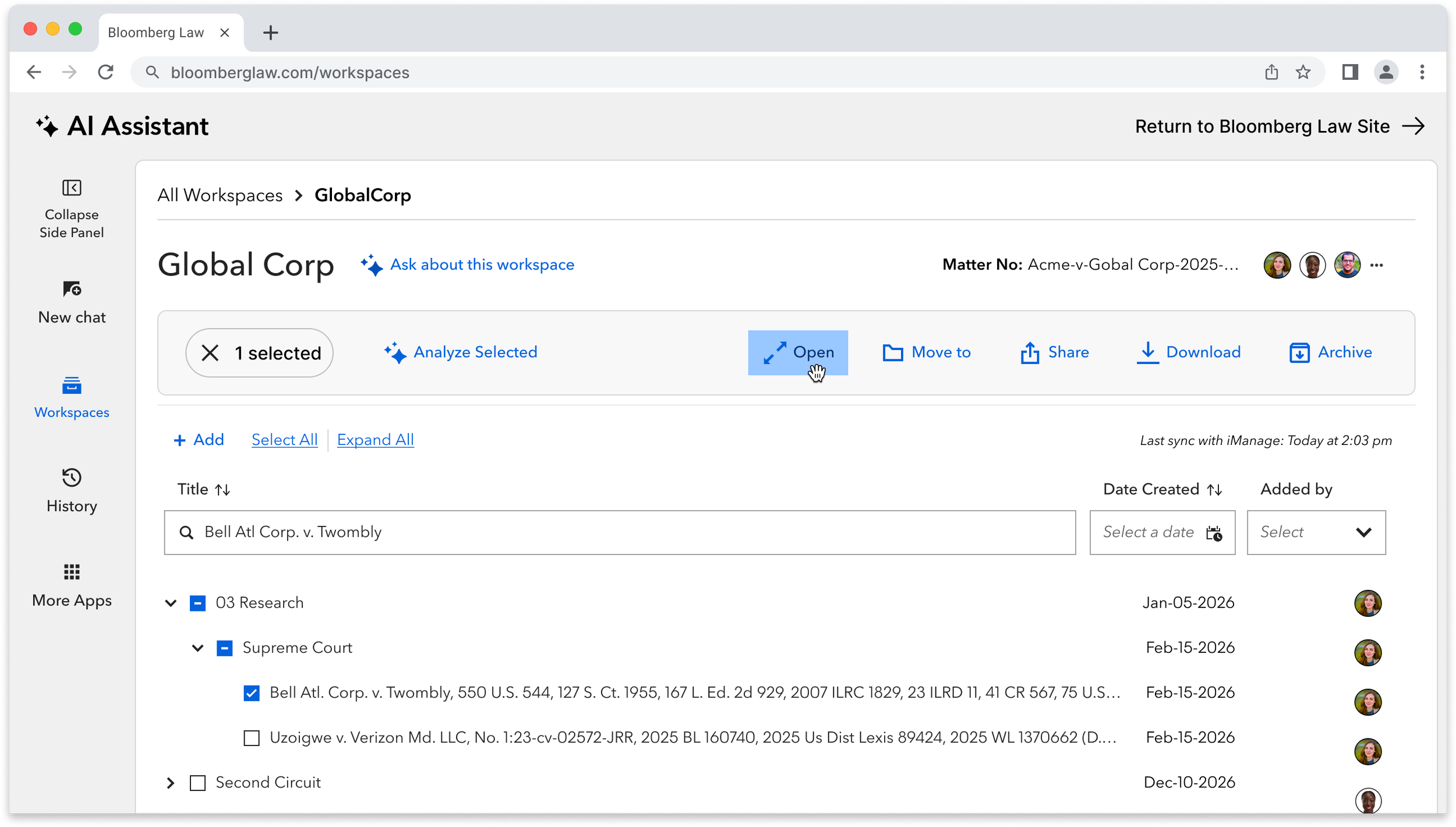
04 Source Storage and Management
Research documents are organized within the workspace alongside matter files.
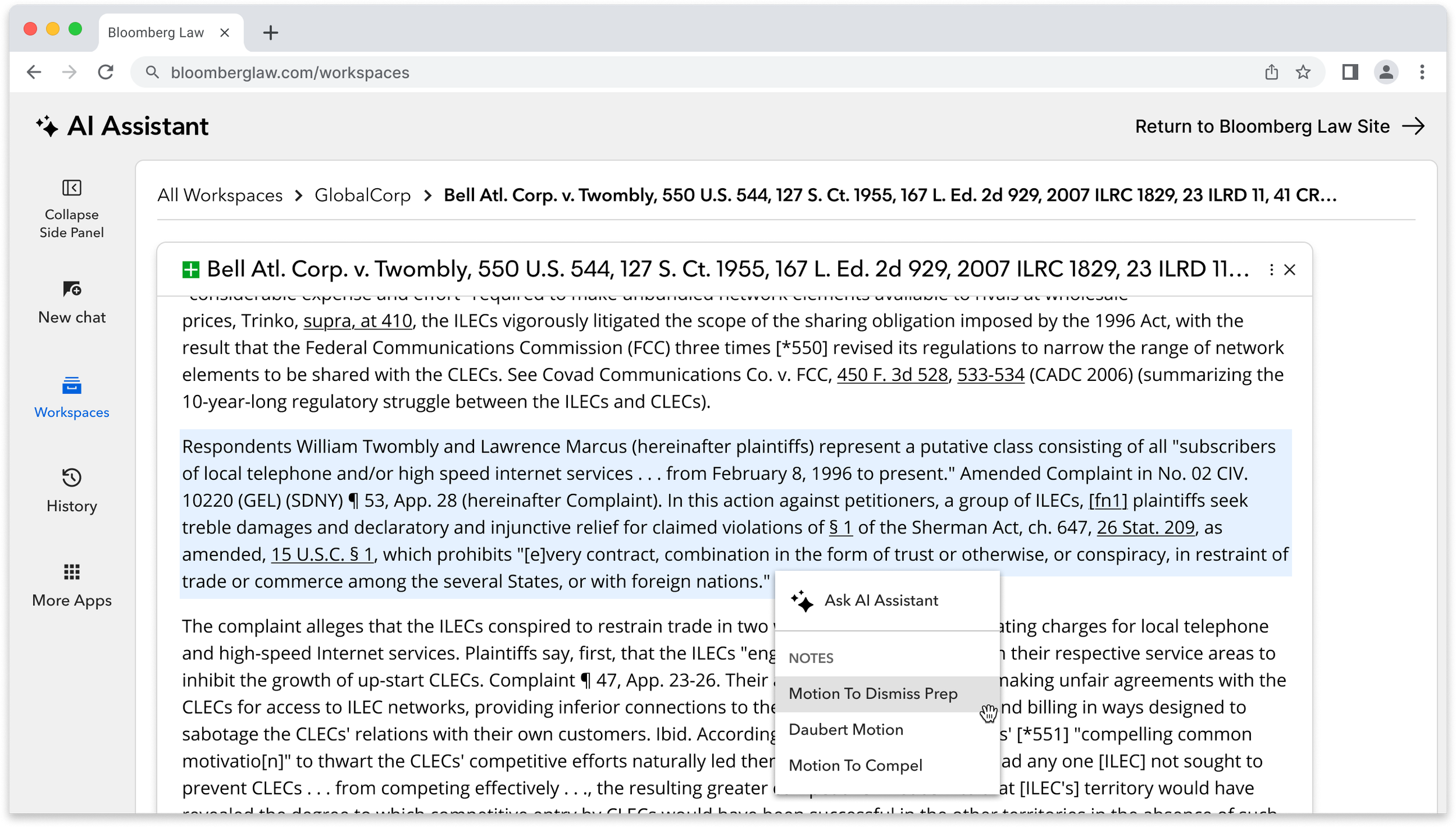
05 Annotating and Writing Collaboration
User can attach annotations and citations directly to source material, accessible to all collaborators with workspace access.
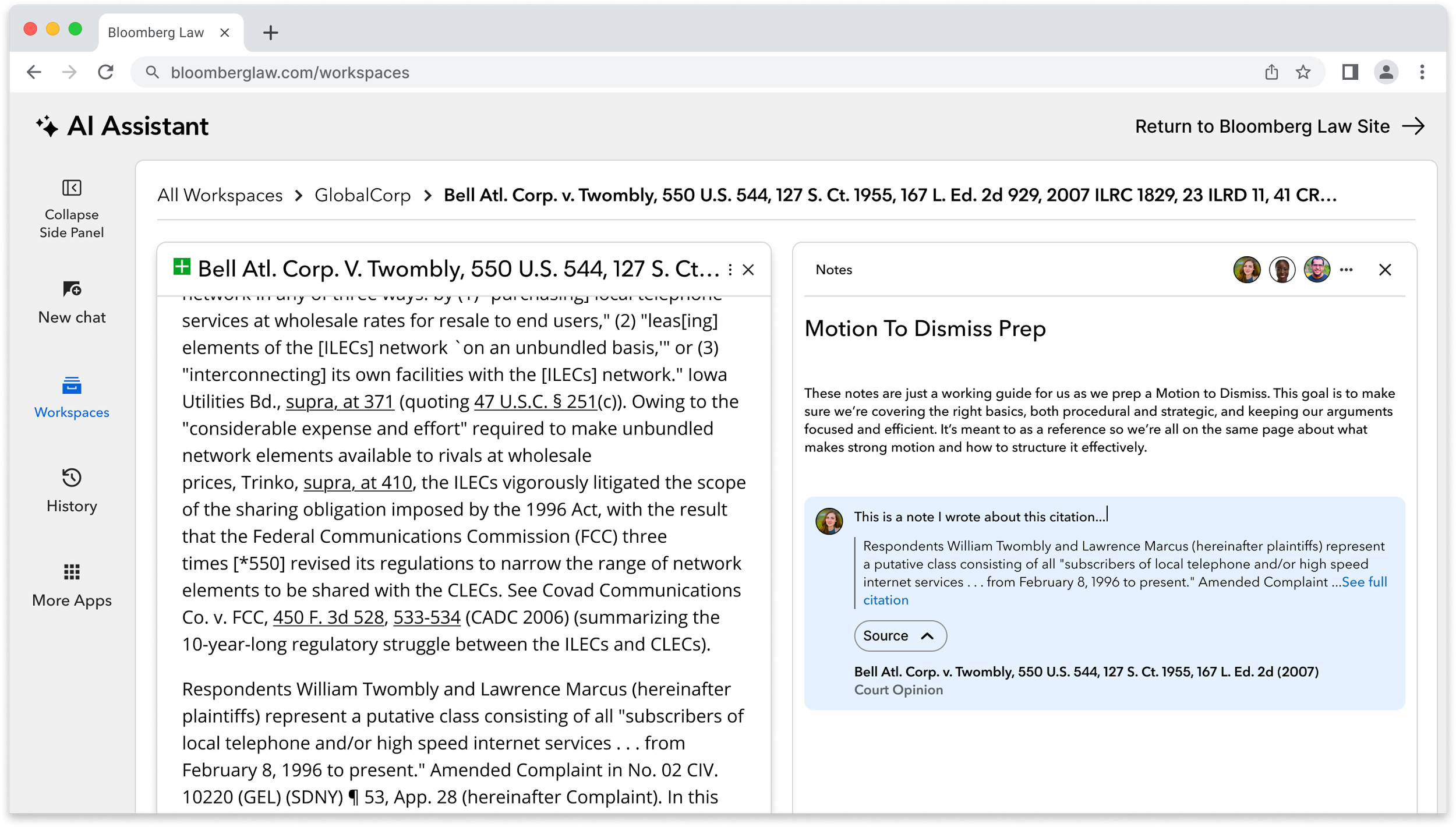
I designed a solution that retains legal reasoning to project documents. This interface shows the legalese behind prior work, solving the analysis pain point. Also it’s an incentive for firms to expand team access, directly supporting Bloomberg Law's goal of increasing seat count per subscription.
Conclusion
The UI exploration of these five core workflows were designed by me. I appreciate the a rare opportunity to connect user needs to market opportunities. While the AI integration features were central to the brief, the element that excites me the most is the collaborative, annotation layer. By making reasoning shareable within the workspace itself, the design can add visibility into a project’s research trails, legal reasoning, or rejected paths; firms can expand access across internal and external teams, directly supporting Bloomberg Law's goal of increasing seat count per subscription. The result is a workspace where stickiness isn't grounded in an AI-centered workflow, but earned through a reduction in context switching between tools.
See I designed an AI experiences on Bloomberg Law's most-used page